 PayUpp
You paid the whole bill: how to get paid back
You put the whole dinner on your card. How to get your money back from friends without chasing anyone, using PayUpp's payment details and balances.

By Santiago Borzone
There is always one friend who pays the whole bill "so we don't hold up the waiter". That friend then spends a week sending "hey, no rush, but…" messages, and feels petty every time.
If that friend is you, the problem is rarely that people don't want to pay. It is that paying you back takes effort: find your number, work out the amount, open the bank app. Every step is a chance to forget.
This guide makes paying you back a two-tap job for your friends, and lets you see at a glance who still owes you.
Step 1: tell PayUpp how you want to be paid
Add the ways people can pay you: a bank transfer, Revolut, PayPal, Wise, Bizum in Spain, and many more under More methods. Your friends will see these when they owe you money.
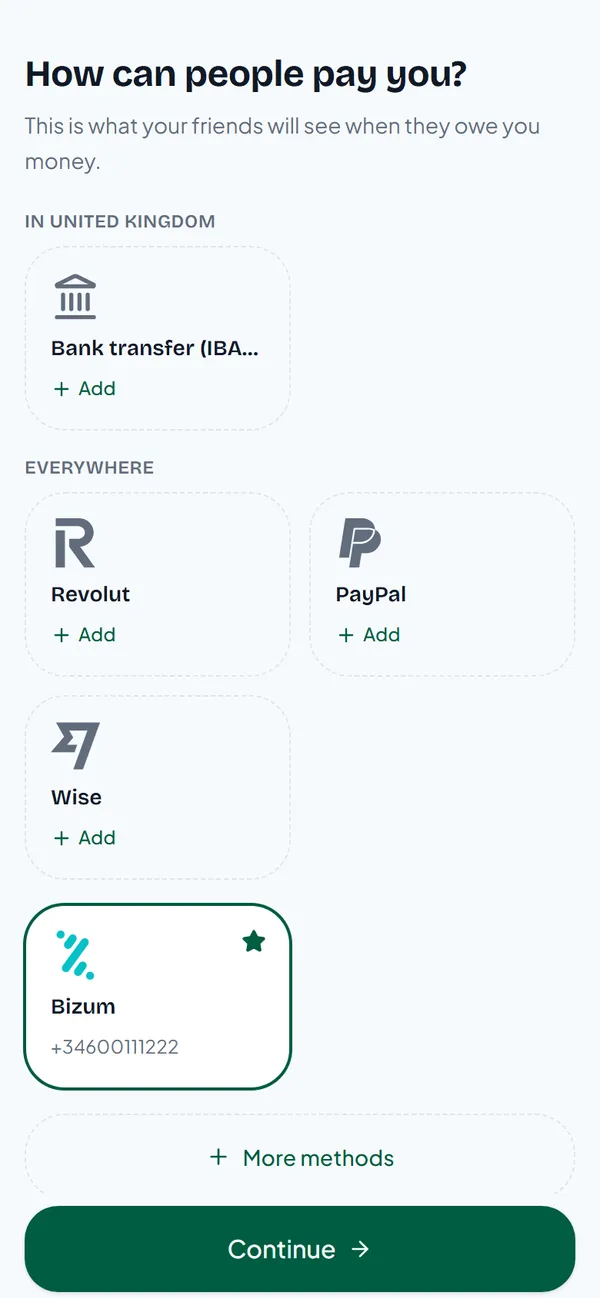
PayUpp opens with the methods people use in your country. Only the people you split expenses with can see them, and they only work for receiving money. PayUpp never touches your money.
Step 2: add the bill, paid by you
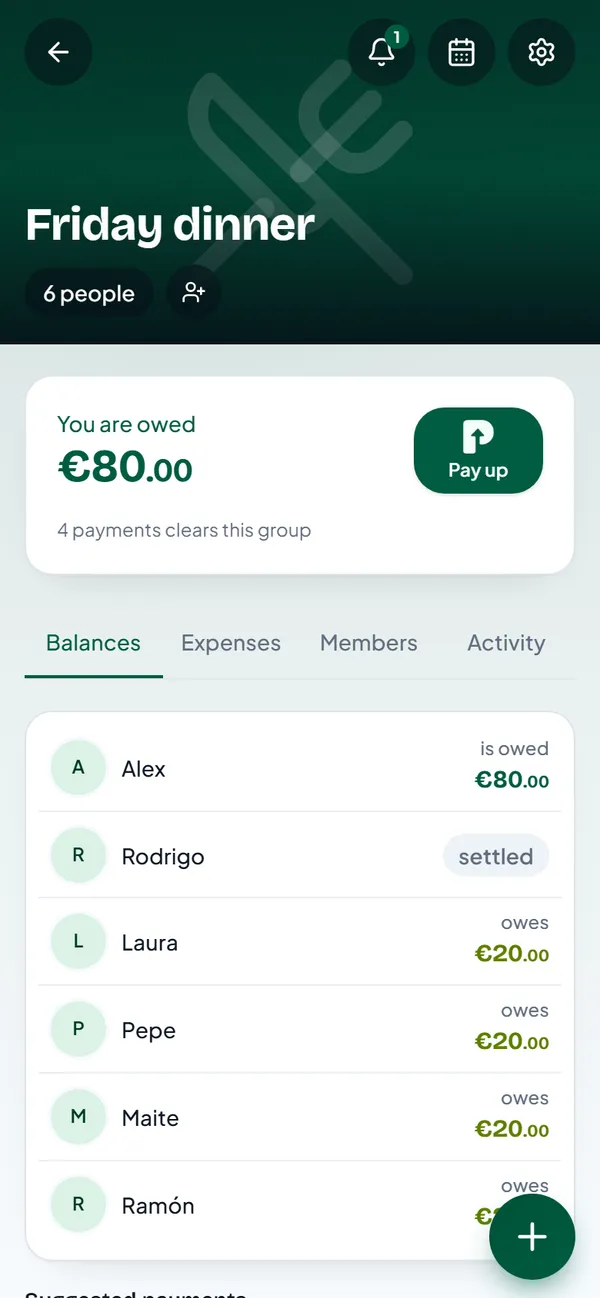
Add the dinner as an expense in the group, with you as the payer. In this example you paid €120 for six people, so each friend owes you €20.
The group shows the payments that clear it under Suggested payments.
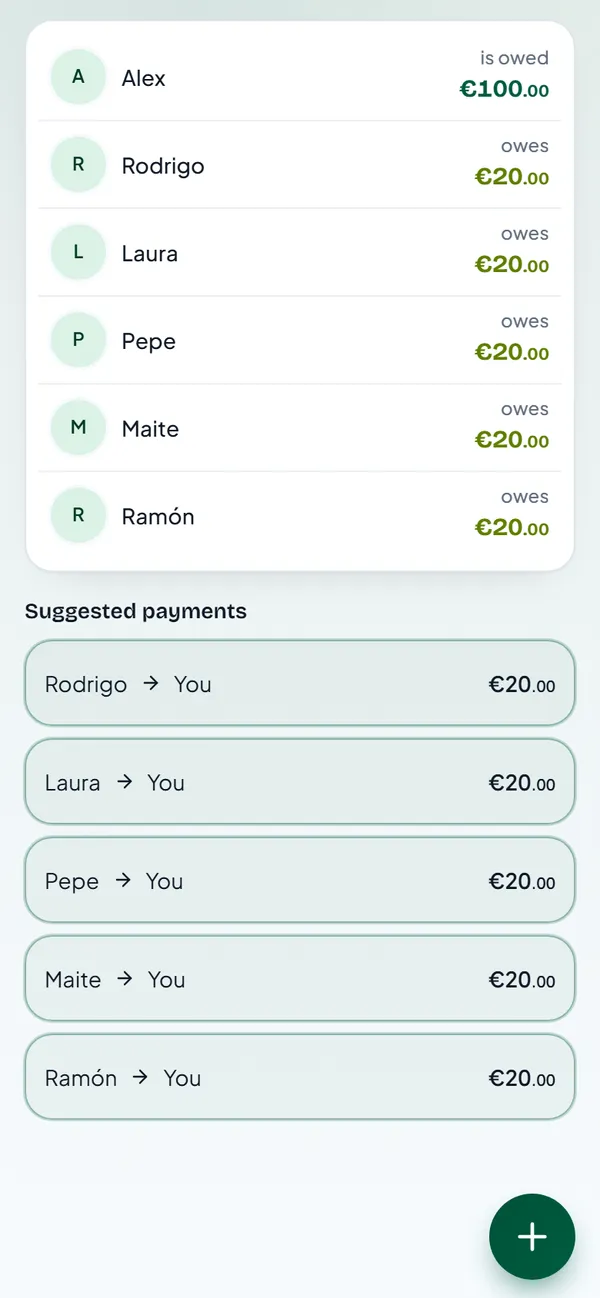
Now share the group or the split link. When Rodrigo opens it, he sees what he owes and the ways he can pay you, with your details on screen. There is nothing for him to look up.
Step 3: record the payment when it arrives
When Rodrigo pays you, tap his row in Suggested payments. The amount is already filled in. Tap Pay up.
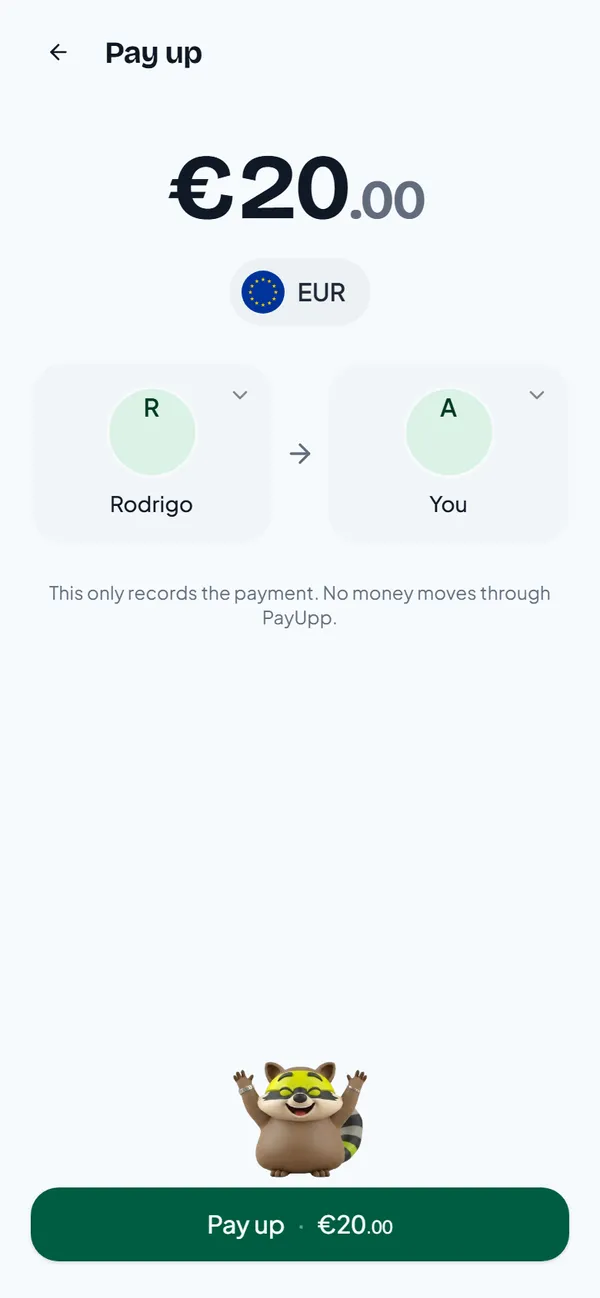
If he paid you in cash, or the money is already in your account, choose Cash / already paid and tap Record as cash. You can add a message or a photo as proof.
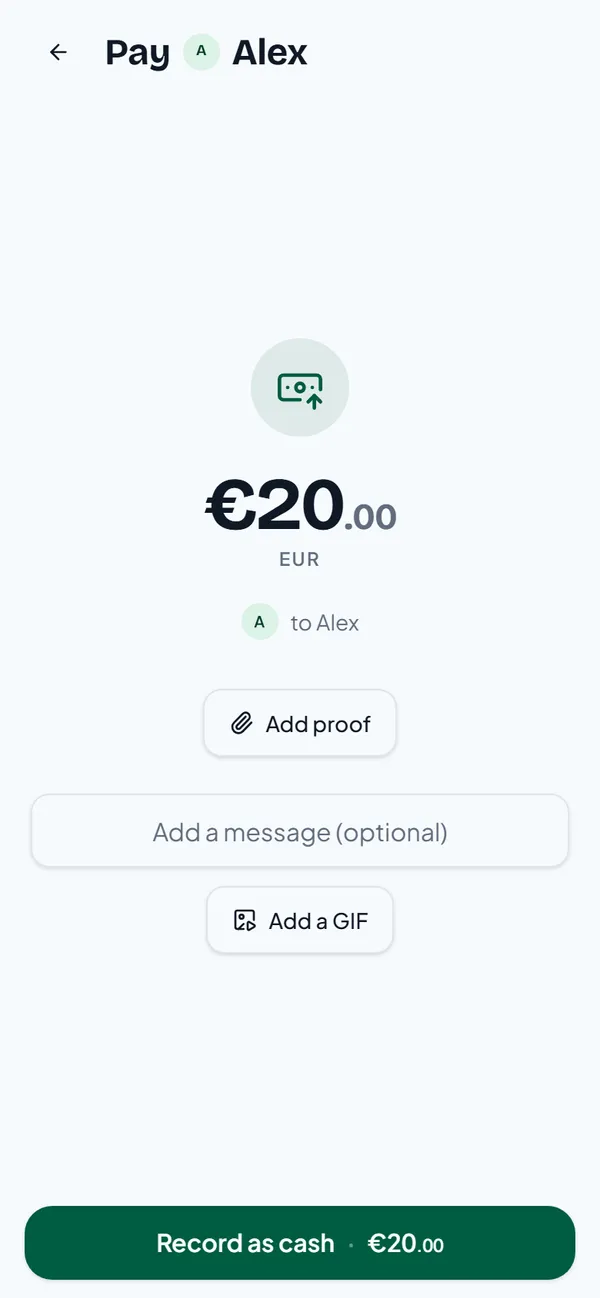
Recording a payment moves no money. It only updates the balances, so everyone sees the same numbers.
Step 4: see who is left
Rodrigo now shows as settled. You are owed €80, from the four friends who haven't paid yet.
Why this works better than asking
Asking for money is awkward because it is personal: you, asking a friend, for a specific amount. When the amount and your payment details are already in front of them, nobody has to ask. The group's balance does the reminding.
Two more habits help:
- Add the expense the same night. People pay faster while they still remember the dinner.
- Keep one group for people you see often. Small amounts net out over time, and you settle up once instead of after every coffee.
If nobody in your group paid for everyone, and you would rather each person pays only for what they had, see how to split the bill by item.
Questions
Can PayUpp send the money for me? No. PayUpp shows your friends how to pay you and keeps the balances. The money moves in the app they already use, like their bank or Bizum.
What if a friend pays me only part of it? Change the amount on the Pay up screen before you record it. The rest stays on their balance.
Do my friends need an account to see my payment details? Not to open a split link. They tap their name and see how to pay you.