 PayUpp
How to add an expense that several people paid
Your card hit its limit and a friend paid the rest. How to add one expense with two or more payers in PayUpp, so the balances come out right.

By Santiago Borzone
The dinner comes to €120. You pay €70 before your card says no, and Laura puts in the other €50. Six people ate.
You could add two expenses, one of €70 and one of €50, and split both. It works, but the group now shows two dinners that were really one, and anyone checking later has to add them up.
It is simpler to add one expense with two payers. PayUpp keeps what each person paid apart from what each person owes, and works out the rest.
What you paid and what you owe are two different things
Every expense has two sides:
- Who paid: the money that left each person's pocket. Here, you €70 and Laura €50.
- Who owes: each person's share of the dinner. Split six ways, that is €20 each.
Your balance is the difference. You paid €70 and your share is €20, so you are owed €50. Laura paid €50 for a €20 share, so she is owed €30. The other four paid nothing and owe €20 each.
How to add an expense with several payers
These screens are from a group called Friday dinner, with six people. In the screenshots, you are Alex.
Step 1: add the full amount
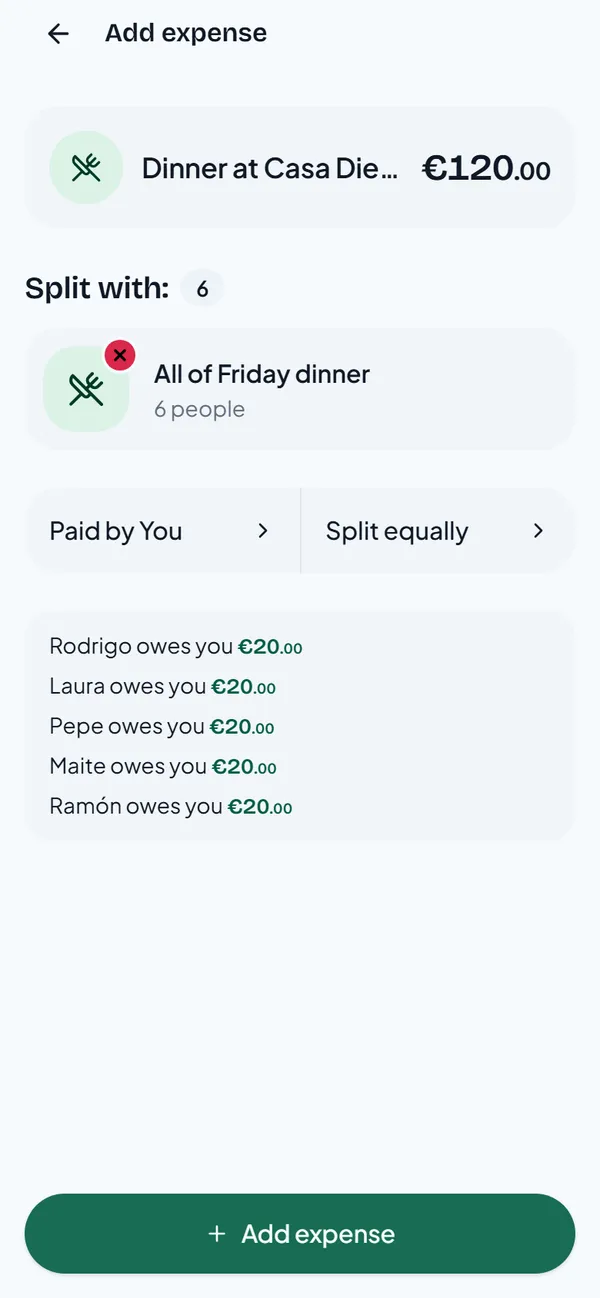
Add the expense with the whole bill, €120, not only your part. Then tap Paid by Alex.
Step 2: choose Multiple people
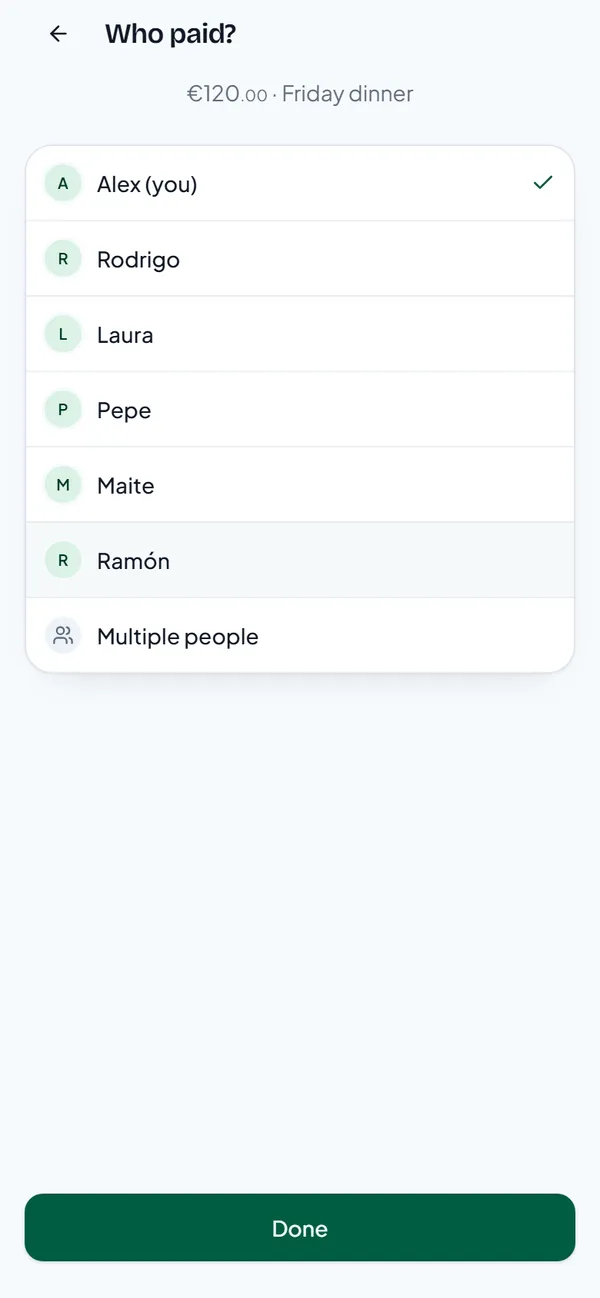
The list shows everyone in the group. Tap Multiple people at the bottom.
Step 3: type what each person paid
Type €70 next to your name and €50 next to Laura. The line at the bottom checks the sum for you: Paid €120.00 of €120.00. Then tap Done.
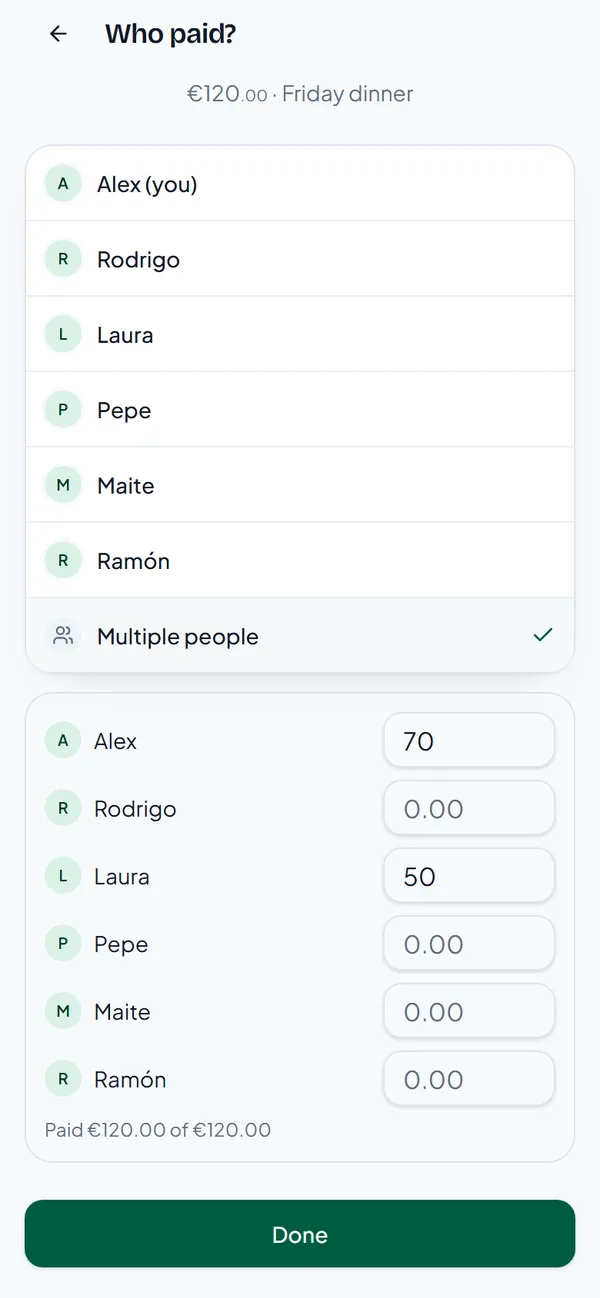
If the amounts don't add up to the total, PayUpp says so and won't save the expense until they do.
Step 4: check who owes whom
The expense now says Paid by 2 people and keeps Split equally. The preview shows the payments that settle it:
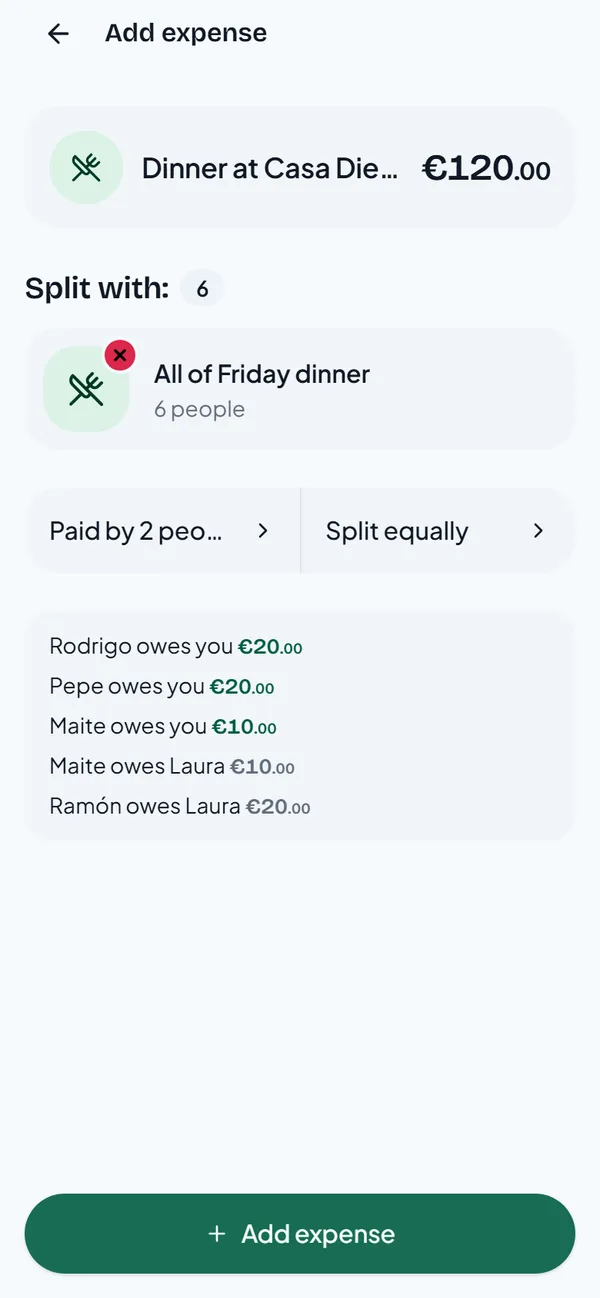
Notice that Maite pays €10 to you and €10 to Laura. PayUpp spreads the debts so both payers get back exactly what they are owed.
Step 5: the balances
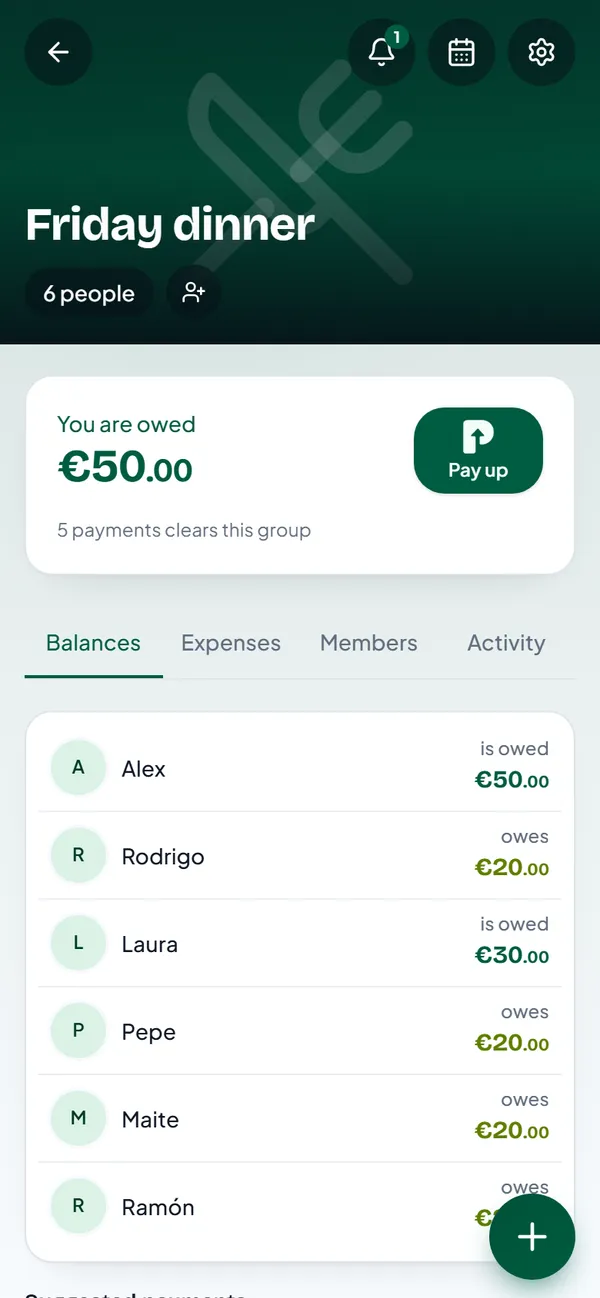
The numbers, side by side
| Person | Paid | Share | Balance |
|---|---|---|---|
| Alex (you) | €70 | €20 | +€50 |
| Laura | €50 | €20 | +€30 |
| Rodrigo | €0 | €20 | −€20 |
| Pepe | €0 | €20 | −€20 |
| Maite | €0 | €20 | −€20 |
| Ramón | €0 | €20 | −€20 |
| Total | €120 | €120 | €0 |
The balances always add up to zero. That is a quick way to check any split.
Payers and splits are separate choices
You can combine several payers with any split. If Rodrigo had the expensive steak, keep the two payers and change Split equally to Exact amount or By shares. Our guide on splitting a shared bottle by glasses shows how shares work.
Questions
Can three or more people pay one expense? Yes. Type an amount next to everyone who paid.
What if someone paid in another currency? The group has a main currency, and you can add an expense in a different one. Pick the currency when you type the amount.
Can I fix it after saving? Yes. Open the expense in the group and edit it. The balances follow.