 PayUpp
How to split a bill evenly with one link
Everyone had about the same, so split it evenly and move on. How to make a quick split in PayUpp and send one link your friends can pay from, no app needed.

By Santiago Borzone
Some tables split evenly without a second thought. Four friends, four pizzas, a few beers each: €84 ÷ 4 = €21, done. Nobody checks the receipt and nobody should.
Splitting evenly is the right call when orders are close. The hard part is not the division. It is collecting the money afterwards, from people who may not even be in a group with you.
A quick split handles that. You type the amount, pick who was there, and send one link. Each friend opens it, taps their name and sees how to pay you. They don't need the app or an account.
When an even split is fair
Split evenly when:
- everyone ordered about the same;
- most things were shared, like pizzas or tapas;
- you eat out together often and small differences even out.
Split by item when someone had much less, skipped the drinks, or ordered the most expensive thing on the menu. That case has its own guide: split the bill by item.
How to make a quick split
In this example Ana paid €84 for pizza night with Luis, Mira and Sam. The screens from Ana's phone show her as "You".
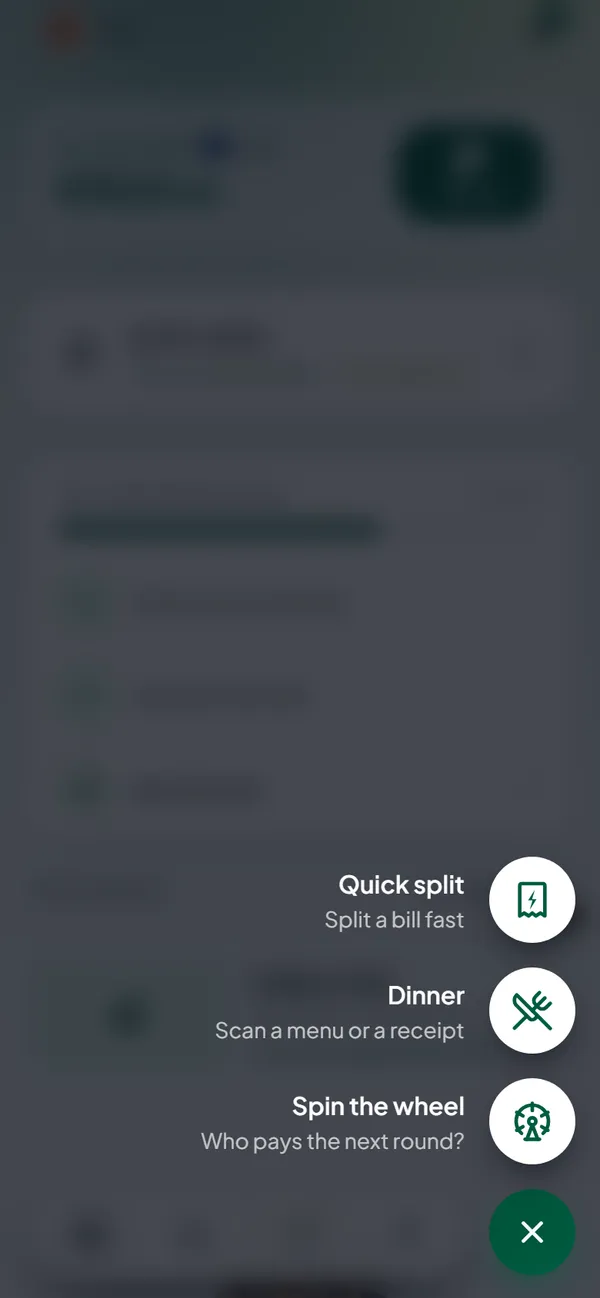
Step 1: open Quick split
Tap the + button and choose Quick split.
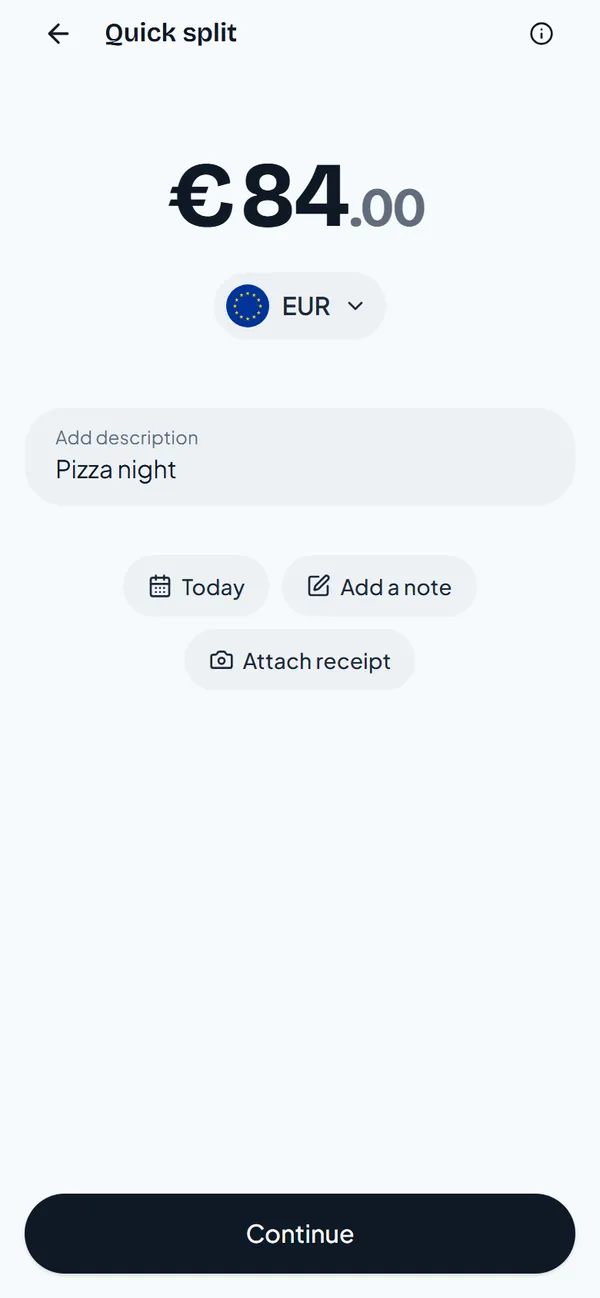
Step 2: type the amount
Type the total, €84, and a name for it. Then tap Continue.
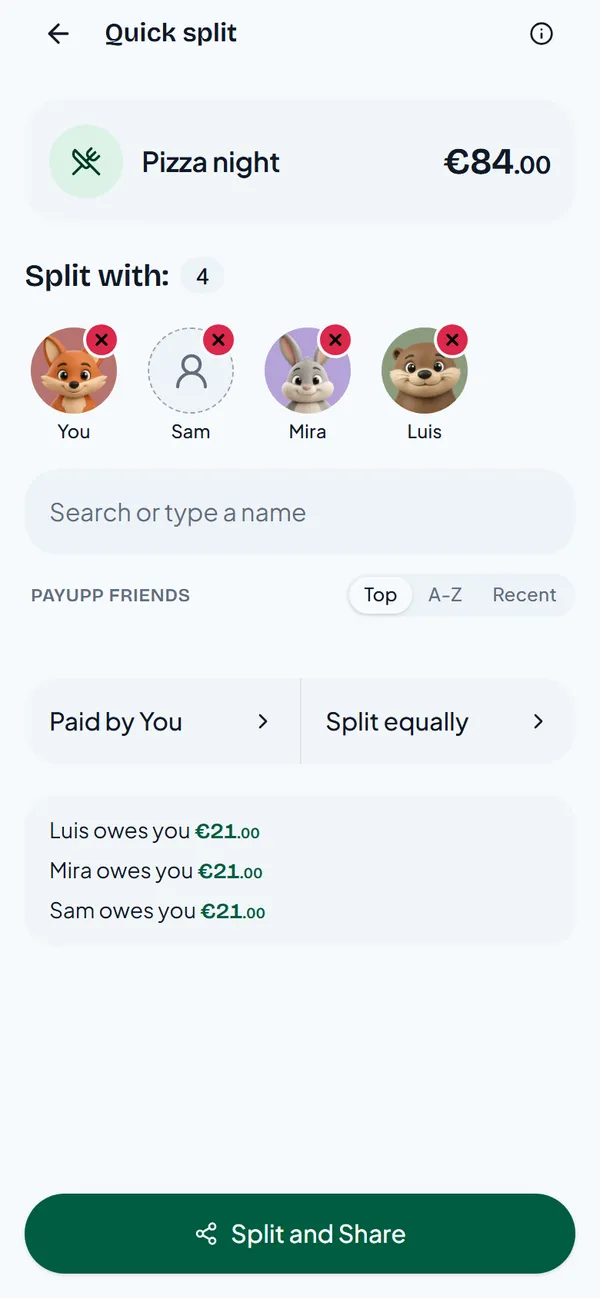
Step 3: pick who was there
Add your friends from the list, or type a name for someone who is not on PayUpp yet, like Sam. The preview shows that each friend owes €21.
Step 4: send the link
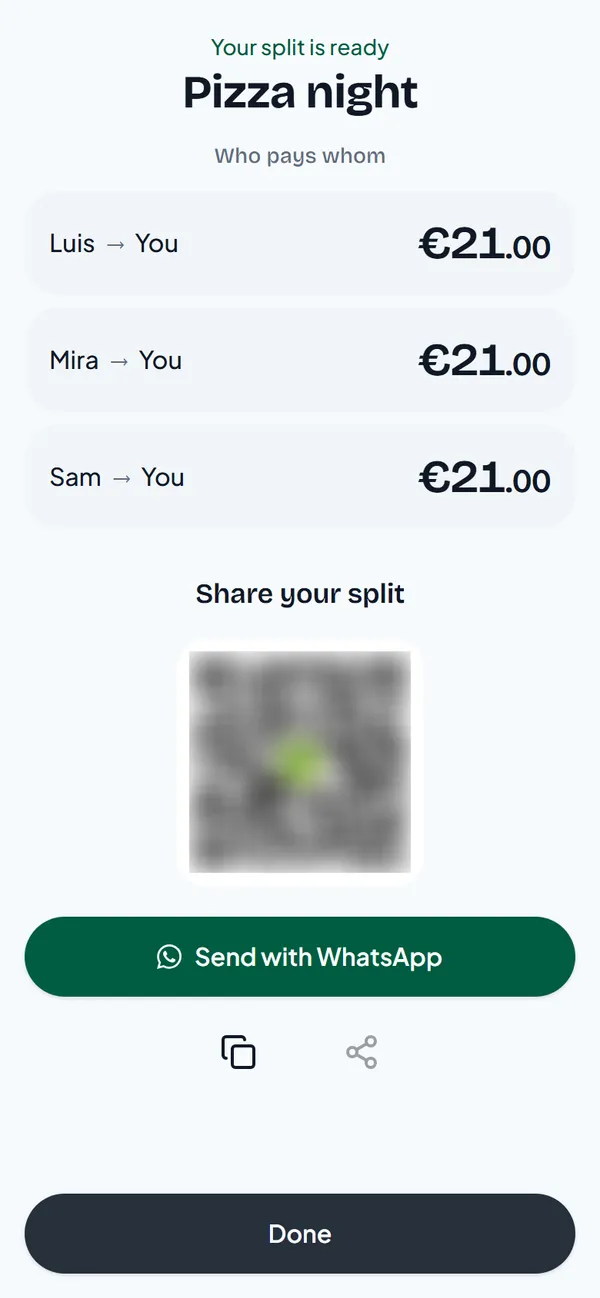
PayUpp shows who pays whom and a link to share. Send it to the group chat.
What your friends see
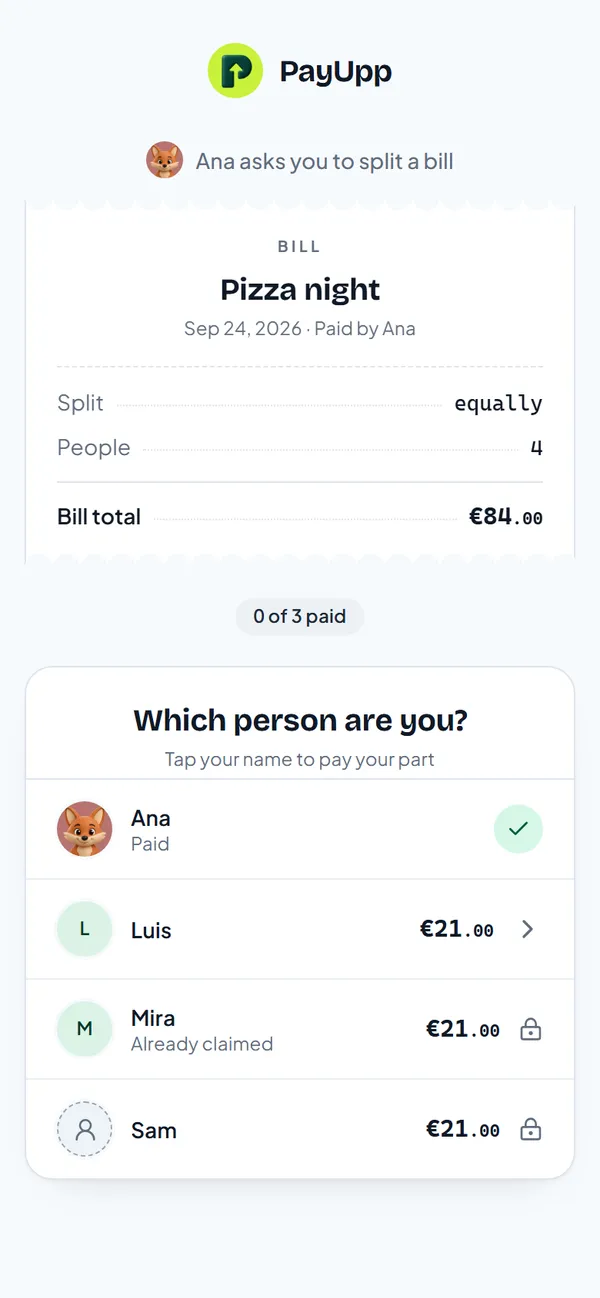
Luis opens the link in his browser. He sees the bill and a list of names, and taps his own.
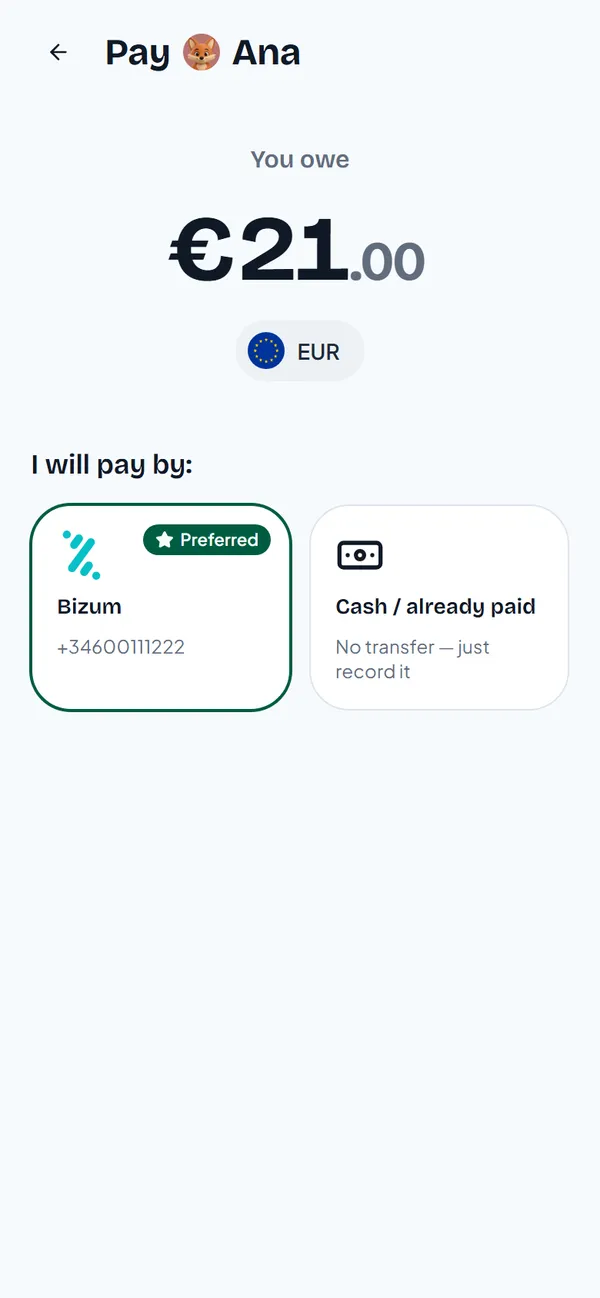
Then he sees what he owes and the ways Ana can be paid. Here, Ana's Bizum number. If he already paid in cash, Cash / already paid records it.
Ana sees each payment come in, and who is still left. For how to set up your payment details and record payments, see how to get paid back.
Quick split or group?
- Quick split: one bill, one link, people you may not see again soon. The split stays out of your groups list.
- Group: people you share costs with often, like flatmates or a trip. Every expense adds up in one balance.
A quick split can become a group later if the same people keep splitting.
Questions
Do my friends need to download PayUpp? No. The link opens in any browser.
Can someone who is not on PayUpp be in the split? Yes. Type their name. When they open the link, they tap it.
Can I split a quick split unevenly? Yes. Tap Split equally before you share and pick another way to split. For a bill where everyone had different dishes, split by item is easier.