 PayUpp
Split the bill by item: everyone pays what they had
Scan or type the bill, send one link, and let each friend tap what they ordered. How to split a restaurant bill by item in PayUpp, screen by screen.

By Santiago Borzone
You had the pasta and a water. The friend next to you had the sea bass and half the wine. The bill says €76 for three, and someone suggests €25.33 each.
It is not a lot of money. But it stings, and the sting has little to do with the amount. In a 1998 Harvard survey of 257 people, half chose to earn $50,000 in a world where others earned $25,000 over earning $100,000 where others earned $200,000. We judge money against the person next to us. Paying €25 for a €20 dinner feels worse when the plate beside yours was €28.
The fair way is to split by item: everyone pays for what they had, and shared plates are divided among the people who shared them. Doing it on a calculator at the table takes ten minutes. In PayUpp, the person who paid types the bill once and sends one link. Everyone else taps their own items.
The dinner in this guide
Ana, Luis and Mira go to Casa Diego. Ana pays the €76 bill. The screens from Ana's phone show her as "You".
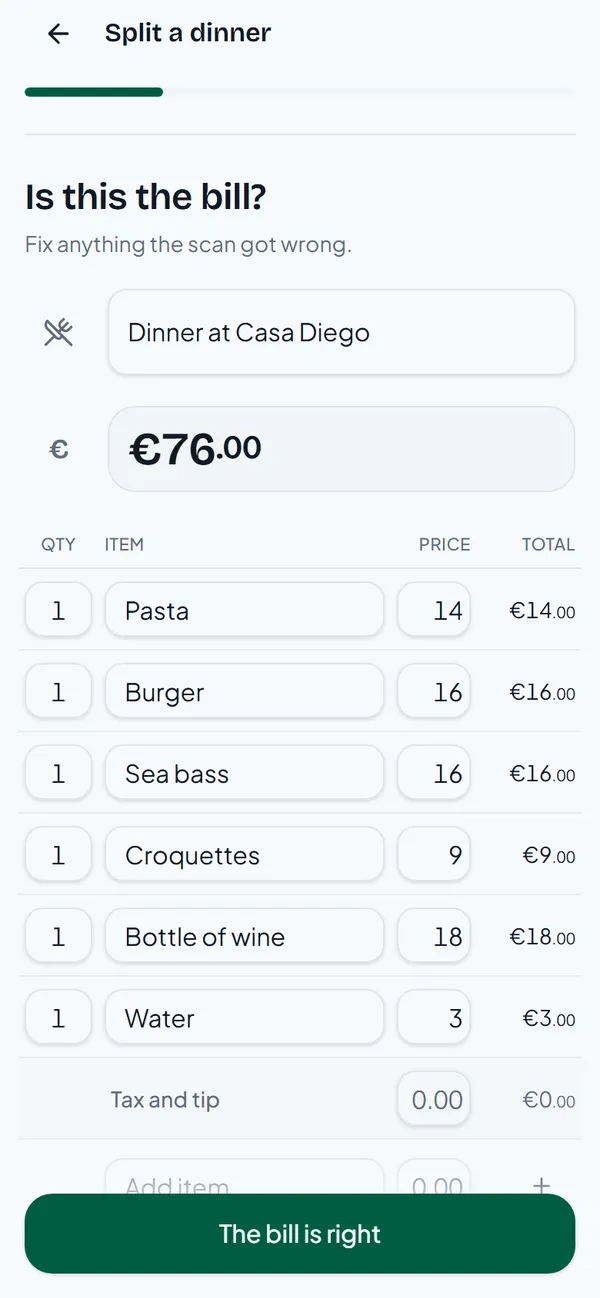
| Item | Price | Who had it |
|---|---|---|
| Pasta | €14 | Ana |
| Burger | €16 | Luis |
| Sea bass | €16 | Mira |
| Croquettes | €9 | Everyone |
| Bottle of wine | €18 | Luis and Mira, half each |
| Water | €3 | Ana |
| Total | €76 |
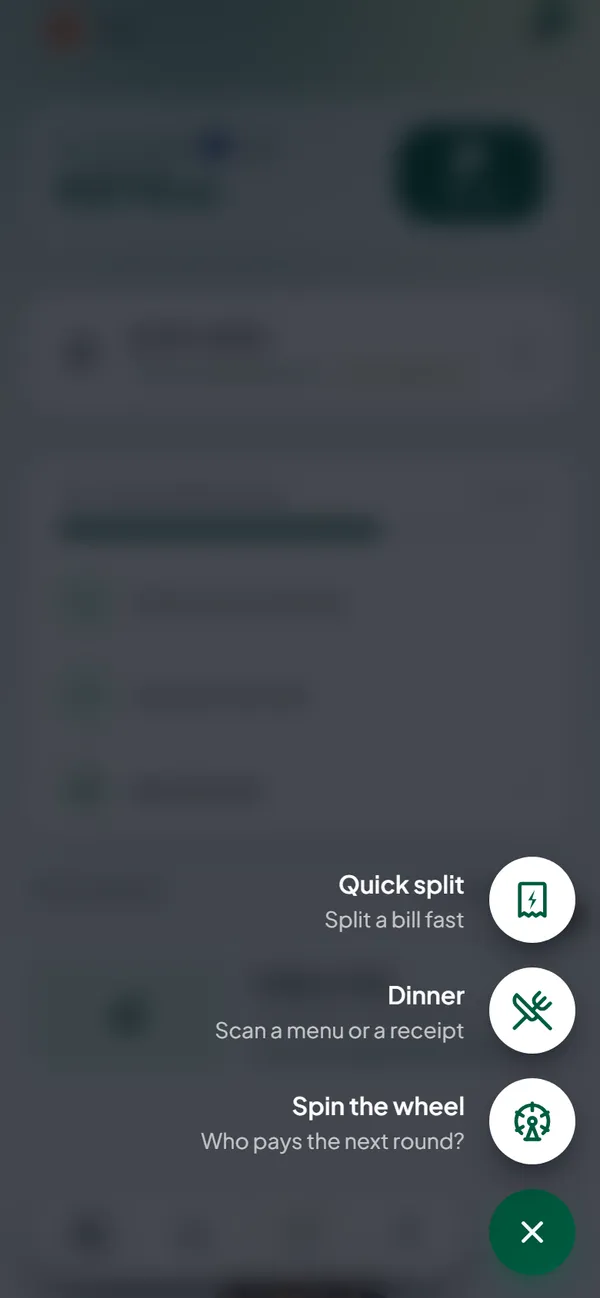
Step 1: open Split a dinner
Tap the + button and choose Dinner.
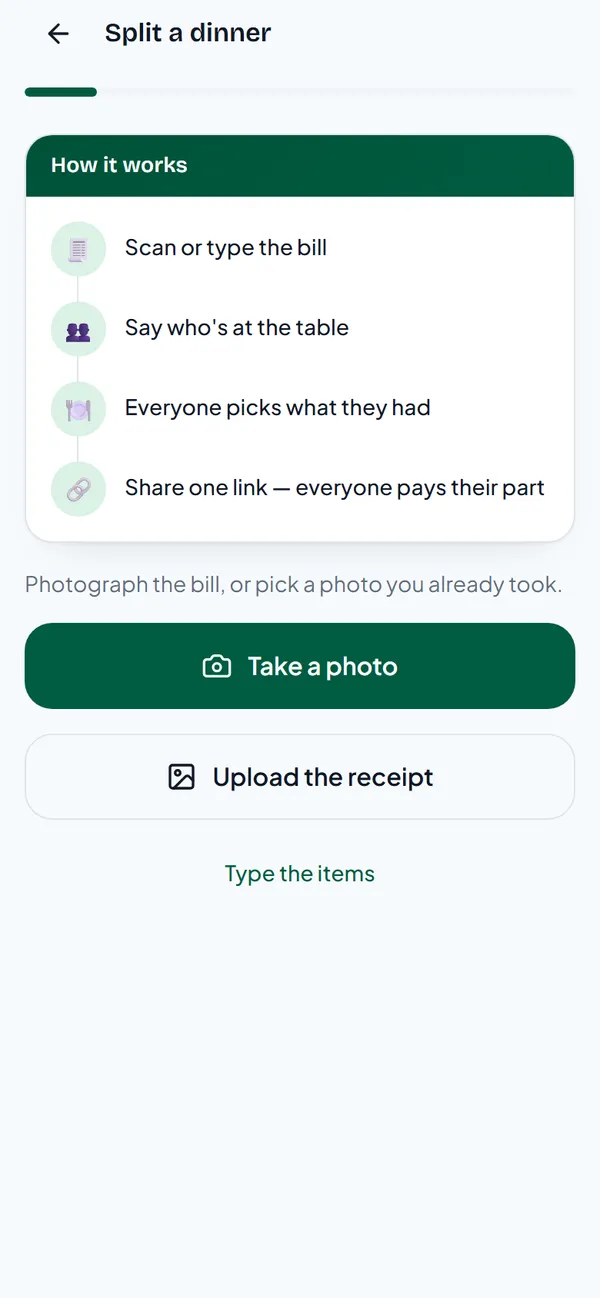
Step 2: scan or type the bill
Take a photo of the receipt, or upload one you already took. PayUpp reads the lines and prices. You can also Type the items by hand.
Check the lines. Fix anything the scan got wrong, add tax or tip if there is any, and tap The bill is right.
Step 3: say who was at the table
Choose Add people by name and pick your friends, or type a name. Ana adds Luis and Mira.
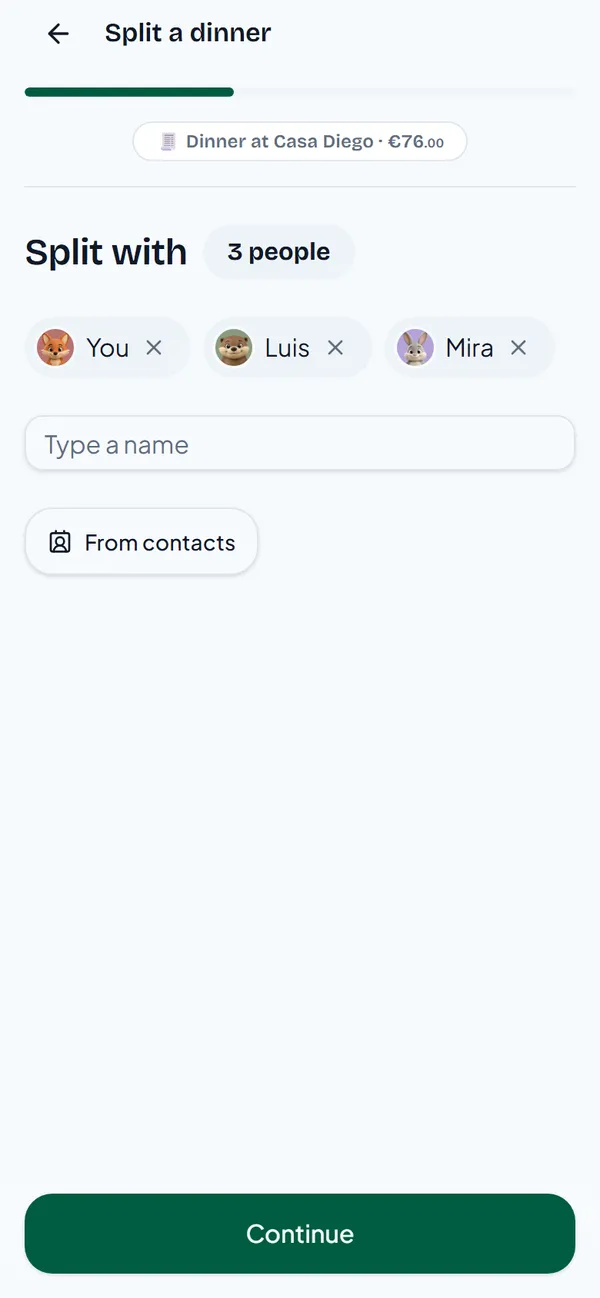
If you would rather not type names, choose No names — everyone adds their own. Each friend then types their name when they open the link.
Step 4: mark what everyone shared
Tick anything that went in the middle of the table. It will be split equally among everyone. Here, that is the croquettes.
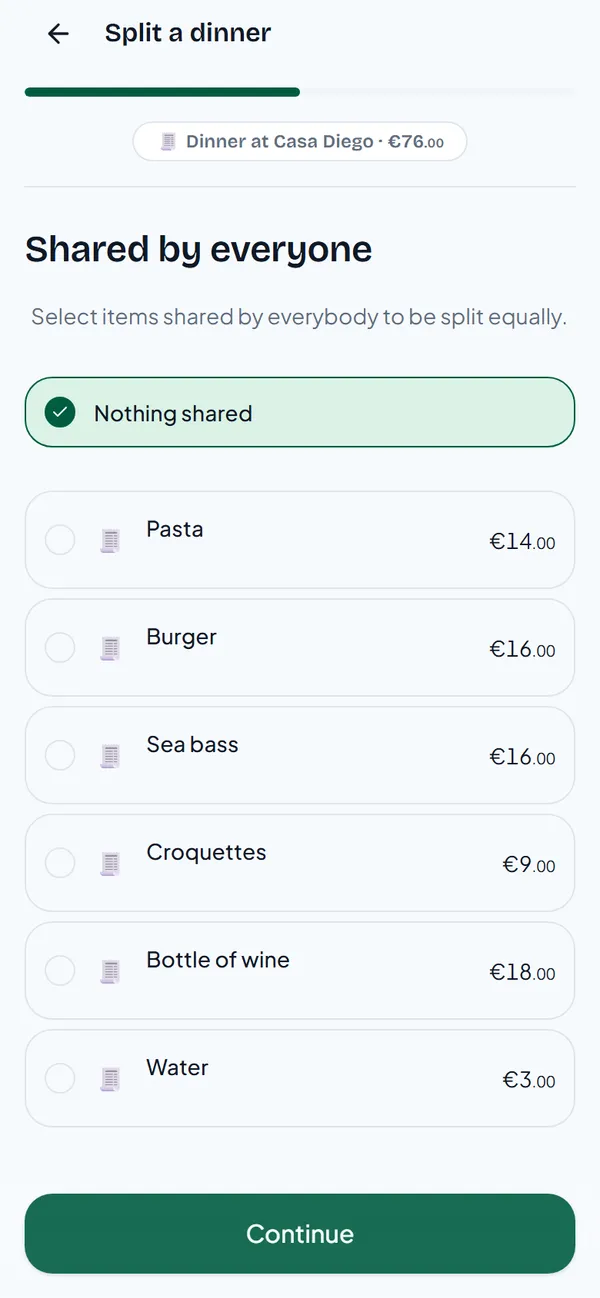
Step 5: tap what you had
Ana taps her own items: the pasta and the water.
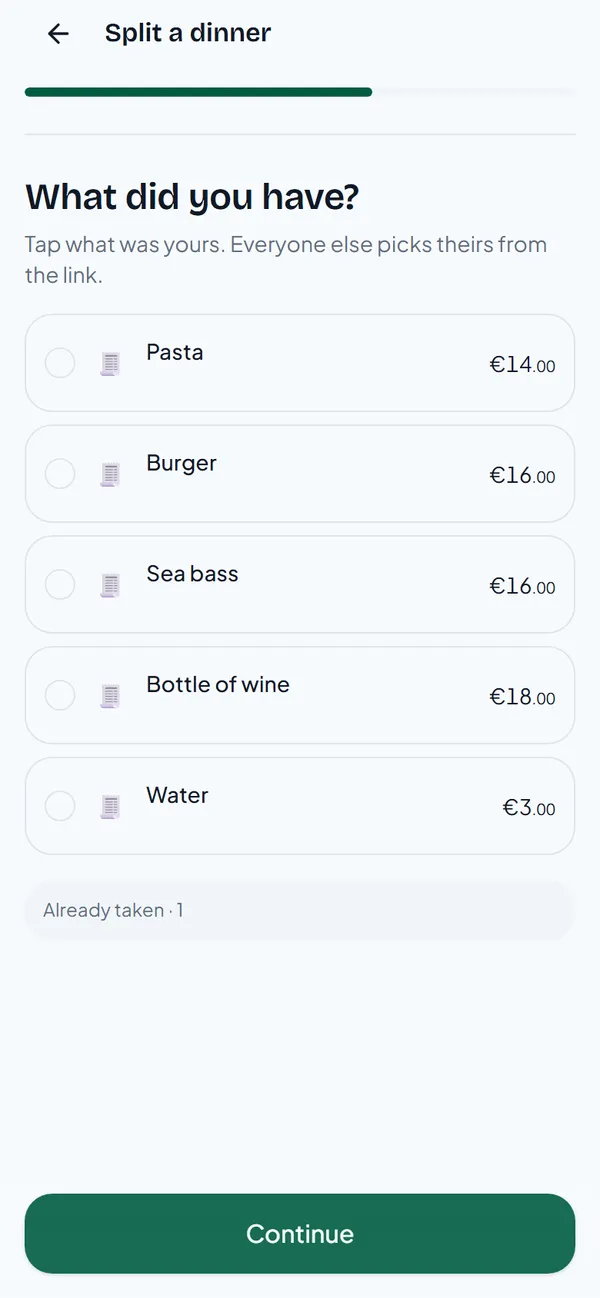
Step 6: let everyone pick their own
Choose Everyone picks their own. If you already know who had what, I'll say who had what lets you assign every line yourself.
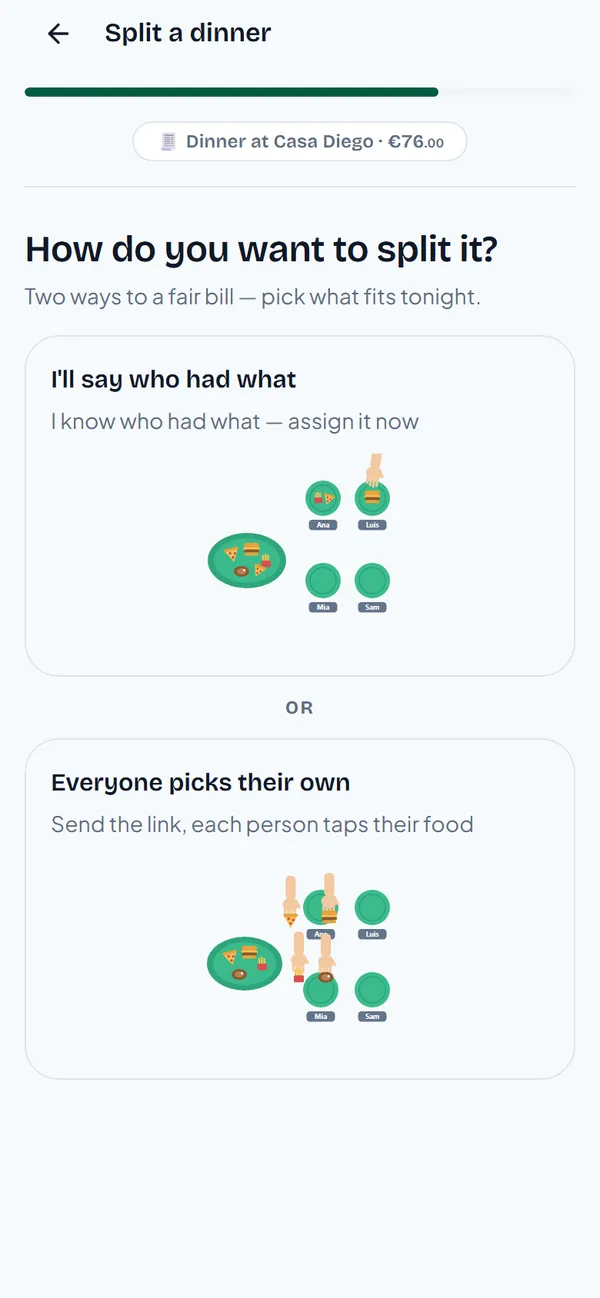
Then say who gets paid. Ana paid the bill, so she picks I'll pay the bill — everyone pays me back and taps Create the split.
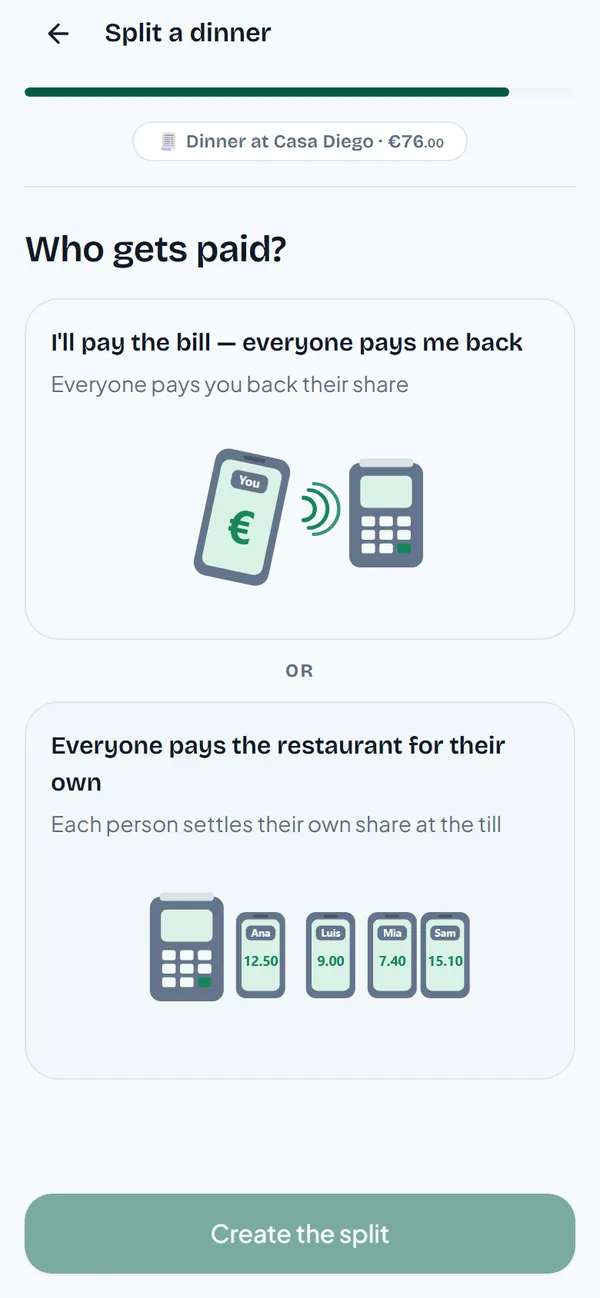
The other choice, Everyone pays the restaurant for their own, is for tables where each person pays at the till.
Step 7: send the link
Send the link to the group chat. Nobody needs an account to open it.
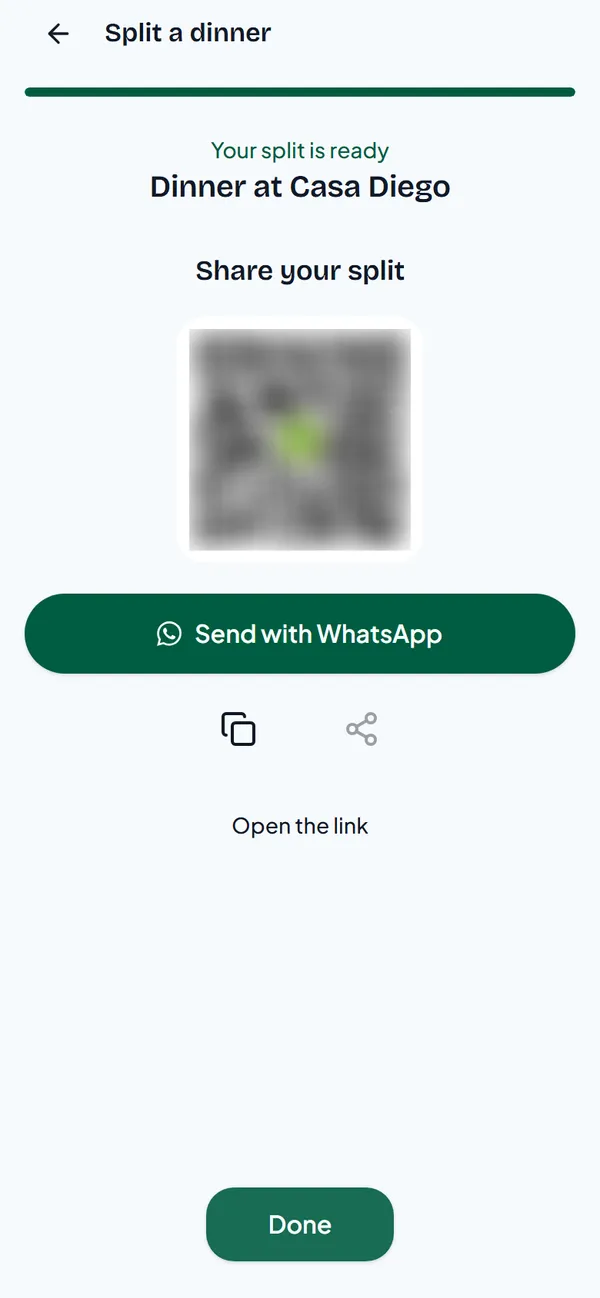
What your friends see
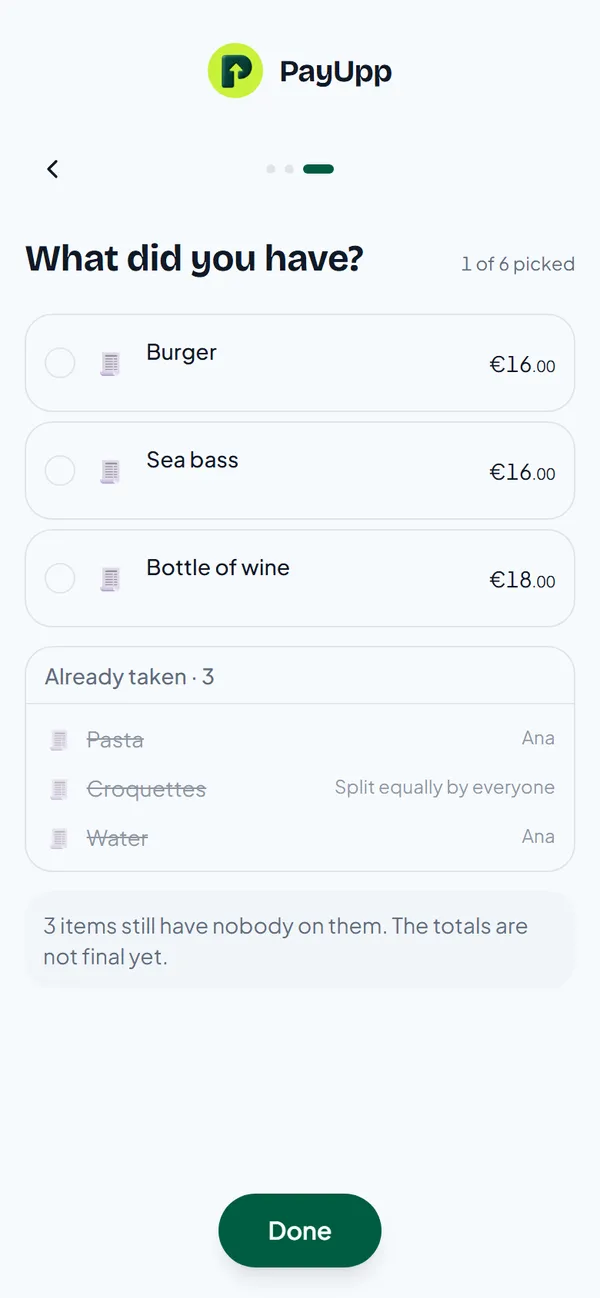
Luis opens the link and sees the items nobody has taken yet. Ana's pasta and water and the shared croquettes are already under Already taken. He taps the burger and the wine.
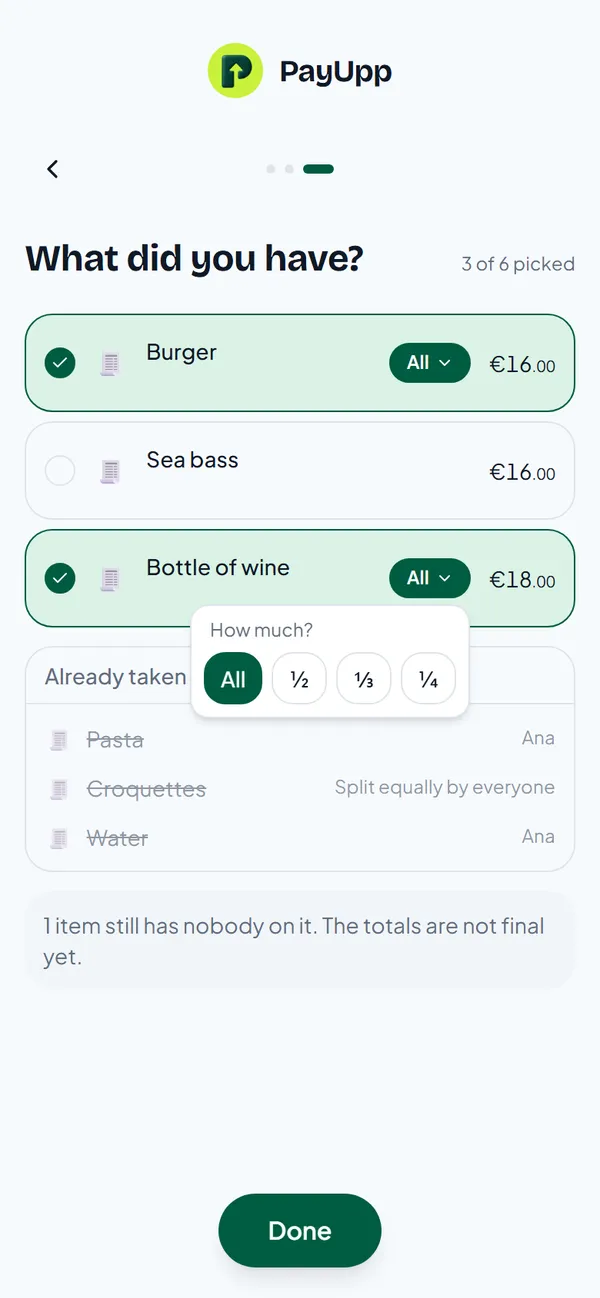
He only drank half the bottle. He taps All next to the wine and picks ½.
Mira opens the same link and taps the sea bass and the wine. Half the bottle is all that is left, so her tap takes exactly that half. Every item now has an owner, and the totals are final.
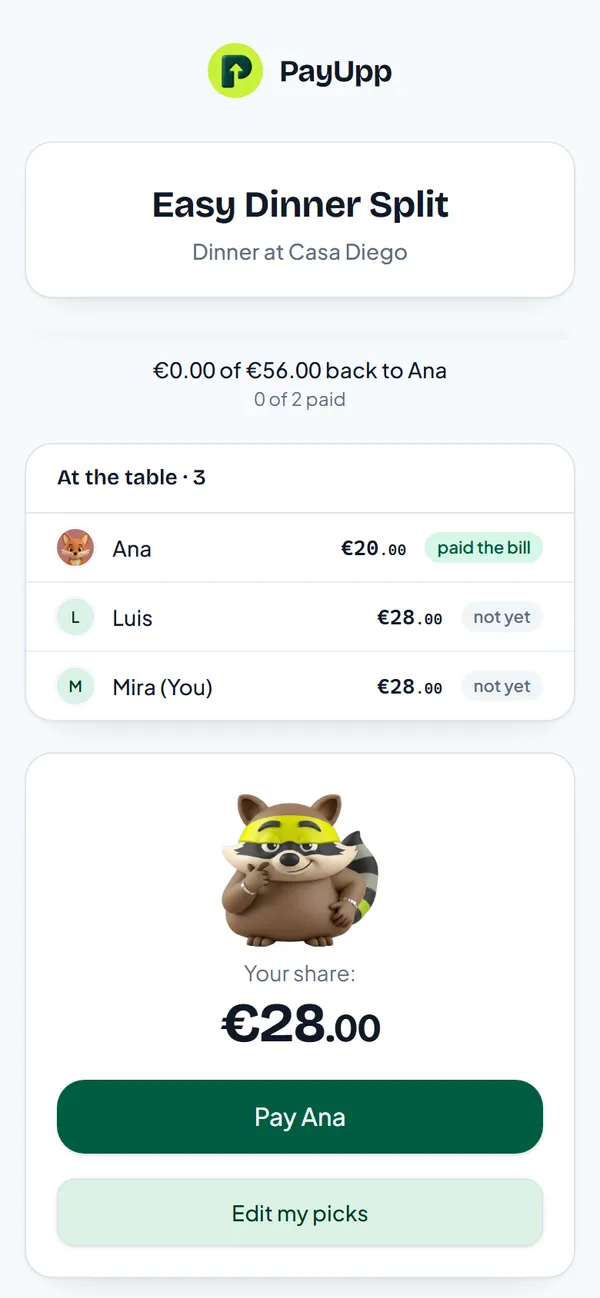
The result, worked out
- Ana: €14 pasta + €3 water + €3 croquettes = €20
- Luis: €16 burger + €9 half the wine + €3 croquettes = €28
- Mira: €16 sea bass + €9 half the wine + €3 croquettes = €28
Check: €20 + €28 + €28 = €76. Split evenly, Ana would have paid €25.33 for a €20 dinner. Over a year of dinners, that adds up.
For the maths behind this, including tips and rounding, see how to split a restaurant bill fairly.
Questions
Do my friends need to download PayUpp? No. The link opens in any browser.
What if someone taps the wrong item? They tap it again to let it go, or use Edit my picks after they are done.
What if two people shared a dish? Each one taps it and chooses how much: half, a third or a quarter.
Can I split evenly instead? Yes. If everyone had about the same, a quick split with one link is faster.